bingosaya on Your Phone — Lobby Access Without the Wait
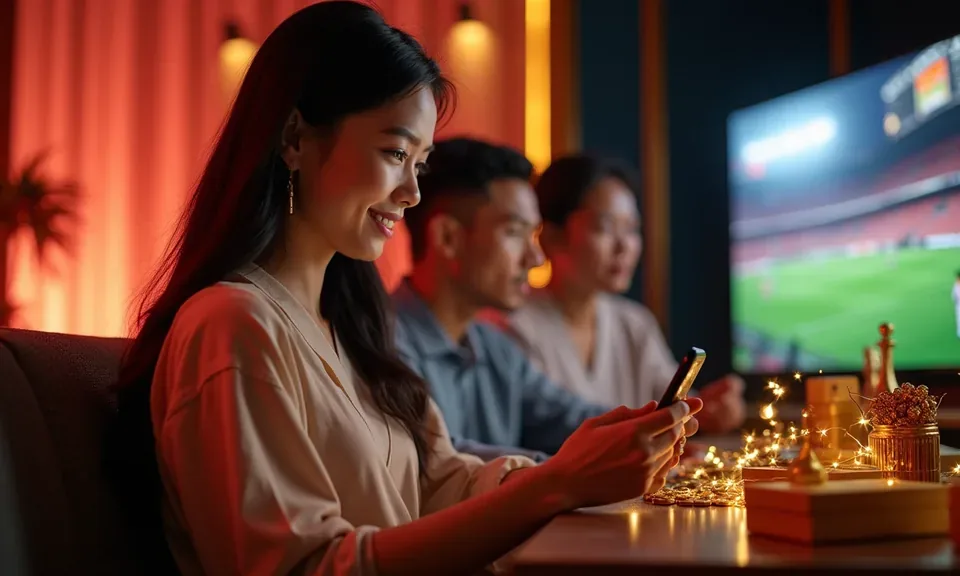
Reach your bingosaya account straight from your mobile browser — no file to install, no store listing to hunt down. Bingo 30 Ball, Tongits Showdown and the full lobby load on the same screen you use for GCash top-ups, available where local law and eligible regions allow.
Before you open the lobby on a new device, it helps to know what the site expects from your browser and screen. The layout is built around a single-thumb reach pattern — the same thumb logic you already use when loading your e-wallet on the go. No specific OS version is required beyond what your current browser supports, so the safest check is to open bingosaya in your phone's default browser and confirm the login page renders cleanly. If it does, everything from Rapid Hi-Lo to the live tables loads from that same session without any extra steps.
Modern mobile browser
Chrome, Safari and other current browsers on Android and iOS render the full lobby. If your browser receives regular security updates, the site layout should load without missing elements.
Screen layout check
The interface scales to standard smartphone widths. Open the account login page first — if the form fields and navigation rail display correctly, your screen size is compatible.
Account credentials required
You need your registered email and password to reach the authenticated lobby on any device. There is no guest-browse mode, so have your login details ready before switching phones.
Currently supported devices
The device compatibility list, if published, appears in the Help section of your account after login. Check there for the current state rather than relying on cached third-party sources.
Connection requirements
A stable mobile data or Wi-Fi connection is needed for live table games such as Peek Baccarat Live. Slot titles like Kadayawan Bloom Slots are lighter on bandwidth and still load on a slower signal.
HELP WHEN NEEDED
Getting Help with Your bingosaya Mobile Session
If your session drops mid-game or the browser asks you to log in again unexpectedly, the fastest path back is through the support channel rather than clearing your cache and starting over. The team handles account-continuity questions — including cases where a game like Tongits Showdown closed before a round resolved — and can check the session record on their end. Reaching out with your registered email and a short description of what happened speeds up the response considerably. Support is available through the channels below, and response times vary by volume, so check your inbox after submitting.
Live chat support
Open the chat icon from the account menu on mobile. Describe the session issue — including the game title and the time it occurred — so the agent can pull the relevant session log without back-and-forth.
Email support
Send a message through the contact address listed on bingosaya. Include your registered email, the device browser you were using, and a brief account of what happened. Email is the recommended path for wallet-related questions.
Mobile access help page
The Help section inside your account dashboard covers common mobile browser questions, including how to save the site to your home screen and how to restore a session after a network drop on GCash or Maya wallet confirmations.
ACCOUNT SAFETY CHECKS
Four Things to Verify Before You Log In on Mobile
Switching between devices is where most account issues start — not with the platform itself, but with how credentials are managed across phones and browsers. A few deliberate checks each time you open the site on a new device keep your wallet and account history intact. These are not abstract precautions; they are the same steps the support team will walk you through if you contact them after a login problem. Do them upfront and the session almost always resolves without needing any help.
Confirm the domain
Always open bingosaya directly or from a saved bookmark. The URL bar should show the exact domain before you enter your password. A mistyped or redirected link is the most common source of failed logins on mobile.
Check published device guidance
The Help section in your account dashboard shows the current device and browser guidance. What is published there reflects the actual supported setup — check it before attributing a display issue to your phone model.
Protect your account credentials
Use a password you have not shared with other sites. If you rely on a browser password manager, confirm it is saving to the correct domain. Credentials saved to a previous URL will not autofill correctly after a domain update.
Use the published recovery path
If you cannot log in, use the account recovery link on the login page — not a saved SMS or third-party reset link. The published path in the login form is the one the support team can verify from their end.
LOBBY ON MOBILE
What the bingosaya Mobile Experience Actually Covers
The mobile version of bingosaya is a responsive web experience — the same account, the same wallet and the same game catalogue you would access on a desktop, reordered for a narrower screen. Navigation sits at the bottom rail so your thumb reaches it without stretching. Game categories — slots like Kadayawan Bloom Slots, live tables including Peek Baccarat Live, and the sportsbook where basketball markets run during PBA and NBA schedules — are each one tap from the lobby home. Your account wallet balance and any pending wallet actions appear at the top of the screen after login. The Help and account-settings pages are fully rendered on mobile, so you can submit a support request or check your session history without switching to a desktop. Game discovery works through the same category filters available on a larger screen.
MOBILE PAGE BEHAVIOUR
How the bingosaya Mobile Pages Actually Behave
The rendered page behaviour on mobile is shaped around returning users — people who already know the lobby and want to reach a specific game or check their wallet without navigating through multiple screens. Each feature described here reflects what is visible in a logged-in session on a current mobile browser, not a native app capability. No offline mode, push notification or biometric shortcut is implied. What you see after login is the live session state.
Persistent bottom navigation
The lobby, wallet, sportsbook and account links stay fixed at the bottom of the screen throughout your session. Switching from Bingo 30 Ball to the basketball sportsbook takes one tap — you do not lose your place in the account flow.
Session continuity across tabs
Your login session carries across browser tabs on the same device. If you open a second tab to check your GCash balance mid-session, returning to the bingosaya tab does not require a second login unless the session has timed out.
Responsive game card layout
Game cards in the lobby resize for portrait and landscape orientations. Titles from Microgaming, Spadegaming, PG Soft and CQ9 are listed in the same category rows as the desktop view, so nothing is hidden on smaller screens.
Wallet status on screen
Your account wallet balance is visible at the top of the lobby after login. GCash and Maya wallet actions are routed through the same wallet interface — the current state of any pending transfer is shown there, not in a separate notification.
THREE QUICK STEPS
Mobile Access in 3 Steps
Getting to the bingosaya lobby on your phone does not require an app store, a file download or any setting changes on your device. The whole flow runs in your browser and takes less than a minute once your account credentials are ready. If you want faster return access, saving the site to your home screen after step two creates a shortcut that opens the login page directly — but it is optional, not required. Follow the steps below in order and you will land in the authenticated lobby with your wallet and game history intact.
Open bingosaya in your browser
Type the address directly into your mobile browser or tap a saved bookmark. Confirm the URL shows bingosaya before entering anything. The login page should render immediately on any current Android or iOS browser.
Check the browser and screen layout
If the navigation rail, login fields and game category labels display correctly, your browser is compatible. A broken layout usually means the browser needs an update — refresh or update before proceeding.
Sign in with your registered account
Enter your registered email and password. After successful login you land on the lobby home screen with your wallet balance visible. From there, game categories — including Rapid Hi-Lo and the live casino tables — are one tap away.
Save to home screen for faster return
Use your browser's share or options menu to add bingosaya to your home screen. This is a browser shortcut, not an app installation. It opens the login page directly on your next visit without typing the address again.
YOUR APP QUESTIONS
Common Questions About bingosaya Mobile Access
These are the questions we see most often from people switching devices or trying bingosaya on a phone for the first time. Each answer points to the specific step or screen where you can verify the detail yourself.
Is there a bingosaya app available on the Google Play Store or App Store?
A dedicated native app listing is not confirmed at this time. Access runs through your mobile browser at bingosaya, which gives you the full lobby, account wallet and game catalogue without a store download. Check the Help section in your account for any updates on this.
Do I need to download an APK file to use bingosaya on Android?
No APK download is required. The site runs directly in your Android browser. Open bingosaya, log in with your registered details, and the lobby loads as a responsive web page. No file installation or device permission changes are needed.
Will my GCash or Maya wallet work the same way on mobile as it does on desktop?
Yes. GCash and Maya wallet actions go through the same account wallet interface on mobile. Your balance and any pending transfer status appear at the top of the lobby screen after login. The steps are the same — no mobile-specific wallet flow is required.
Why does the bingosaya site ask me to log in again after I switch browser tabs?
Sessions carry across tabs on the same device, but they time out after a period of inactivity for account security. If you switch to another app for an extended time and return, the site will prompt you to log in again. Use the login page to reconnect — your wallet and history are not affected.
Can I play Bingo 30 Ball and Tongits Showdown on a small phone screen?
Both titles are available in the mobile lobby. Game cards scale to portrait orientation, and the game interface adjusts to narrower screens. If a specific title shows a display issue on your device, note the browser version and contact support via the chat option in your account menu.
Is bingosaya available to players in the Philippines on mobile?
Access depends on local law and is available in eligible regions where local law permits. If you are in a supported region and the site loads correctly in your browser, your account is available for use. Check your account dashboard for any region-specific notices after login.
 Mobile / App